
USB 2.0 vs 3.0 vs Type-C: What Speed Differences Actually Mean

Last Updated: 12 March 2026
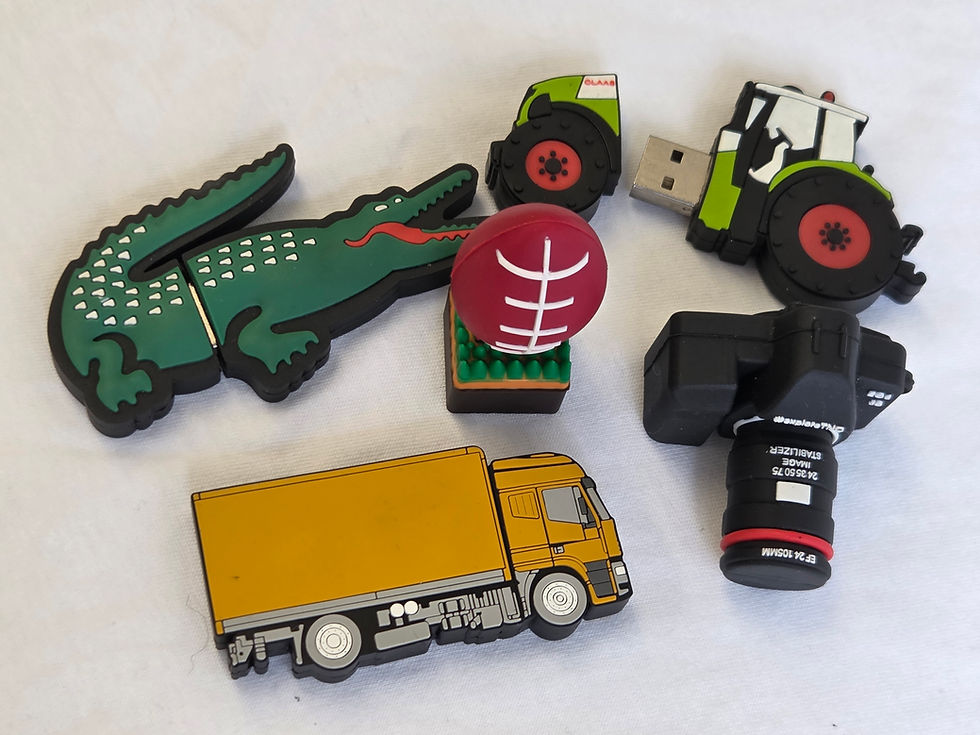
Many companies distribute branded USB drives at conferences, onboarding events, and training sessions. While the external design matters, the USB technology inside the drive determines how fast files transfer and how convenient the device feels to use.
This guide explains how USB 2.0, USB 3.0, and Type-C compare in real-world performance and when each option makes sense for bulk orders.

What is USB 2.0?
USB 2.0 is one of the most widely used USB standards and remains common in many branded USB drives. It emerged in the early 2000s and remained the standard connection for computers, printers, and flash drives for a long time. Since almost all devices still support it, USB 2.0 is a reliable choice for basic file storage.
Until now, USB 2.0 has remained popular because it works with almost any device, handles everyday files well, and is less expensive to produce in bulk.
Typical uses include:
conference materials
presentations
company documents
onboarding files
For simple storage tasks, USB 2.0 on branded plastic USB drives often provides sufficient speed.
What is USB 3.0?
USB 3.0 is a newer, faster version of USB designed to greatly improve data transfer speeds.
Compared to USB 2.0, USB 3.0 can move files much faster. This speed difference is easy to notice when transferring large files, such as videos, software, or large folders. In terms of performance, USB 3.0 is better because it transfers data faster, copies files more quickly, and manages bigger data loads more easily. Because of this, USB 3.0 drives are often chosen for:
large media files
software distribution
training videos
high-capacity USB drives.

What is USB Type-C?
USB Type-C is a connector design, not a speed standard. It is the newer, reversible plug you see on many modern laptops, phones, and tablets.
Unlike older USB connectors, Type-C plugs can be inserted either way, which makes them easier to use.
The speed of a Type-C device depends on the internal USB version it supports, which may include USB 3.0, USB 3.1, or newer standards. Nowadays, Type-C is becoming more popular because it has a modern, reversible connector, supports faster data speeds, and works with many new devices. Type-C drives are often used with:
modern laptops
smartphones
tablets
newer MacBook models.
Speed Comparison
The main real-world difference between USB types is the speed at which they transfer files. Take a look at this comparison:
USB Standard | Maximum Speed | Typical Use |
USB 2.0 | Up to 480 Mbps | Basic file storage |
USB 3.0 | Up to 5 Gbps | Large file transfers |
USB Type-C | Depends on internal standard | Modern devices |
We have noticed that USB 3.0 can theoretically transfer data around ten times faster than USB 2.0, although real-world speeds depend on the device and file size.

Real-World Speed Examples
To understand the difference, consider copying a large video file. You’ll notice the following:
File Size | USB 2.0 | USB 3.0 |
1 GB video file | ~20–30 seconds | ~5–10 seconds |
5 GB folder | Several minutes | Under a minute |
The exact numbers depend on your computer and USB drive, but they show how faster USB types can save you time with big file transfers.
Device Compatibility
Another key consideration is whether the USB drive works with your current devices. USB 2.0 works with almost every computer made in the last 20 years. USB 3.0 drives also work in USB 2.0 ports, but they will run at slower speeds in older ports. Type-C drivers, in contrast, only work on devices with a Type-C port. Here’s a quick comparison to help you understand the differences:
Device Type | USB 2.0 | USB 3.0 | Type-C |
Older desktop computers | Yes | Yes | Rare |
Standard office laptops | Yes | Yes | Sometimes |
Newer laptops | Yes | Yes | Common |
Smartphones | Rare | Rare | Common |
Power and Charging Differences
USB technology has also gotten better at delivering power. USB 3.0 and Type-C connections can support higher power levels than older standards. This allows devices to charge faster or power external accessories. For flash drives, the extra power is not as noticeable. But Type-C ports often let you charge devices faster or use extra features.
When to Choose USB 2.0
Even though USB 2.0 is older, it is still a popular choice for branded products. It is commonly chosen when:
Files are relatively small.
Maximum compatibility is required.
The budget is limited.
The USB drive is mainly for document storage.
Since USB 2.0 works with almost any device, people can use the drive without worrying about compatibility.
When to Choose USB 3.0
USB 3.0 is worth it when you need faster speeds. Businesses may prefer this option when:
distributing large video files
providing software installations
using high-capacity USB drives
sharing large training materials
When to Choose Type-C
As mentioned, Type-C drives are getting more popular because many new laptops and mobile devices use this connector. They are especially useful if your audience uses newer devices. Typical situations include:
technology industry events
universities or training institutions
businesses using modern laptops.
Some Type-C drives have two connectors, so they can work with both regular USB ports and Type-C devices.
The Right USB Type for Bulk Orders
When businesses buy USB drives in bulk, the choice usually comes down to three things:
the types of devices recipients use
the size of the files being distributed
the available budget.
For most campaigns, USB 2.0 gives a good balance of price and features. USB 3.0 is better for large files, and Type-C drives are best for newer devices and modern hardware.
Ready to Order?
Even though cloud storage is more common now, USB drives are still a quick and reliable way to share files. If your business is ordering USB drives in bulk, the best option depends on how you plan to use them and what devices your audience uses.
Ready to order? Contact us today for expert advice on choosing the right USB drives for your next event or promotional campaign.


Comments