
Why USB Capacity Is Often Over-Specified and What to Prioritise Instead

If you are ordering USB drives in large quantities, you should carefully think about whether a greater capacity is really needed. Before deciding on a 32GB or 64GB model, consider whether the extra storage is more than the recipients actually require and make the cost per unit go up when ordering 50, 100, or 500 items.
The capacity available from USB Planet ranges from more economical smaller options up to 64GB, depending on the model and on the turnaround time. When making your choice, consider the size of the files and your intended use rather than selecting a larger capacity simply because you have no clear need for it.
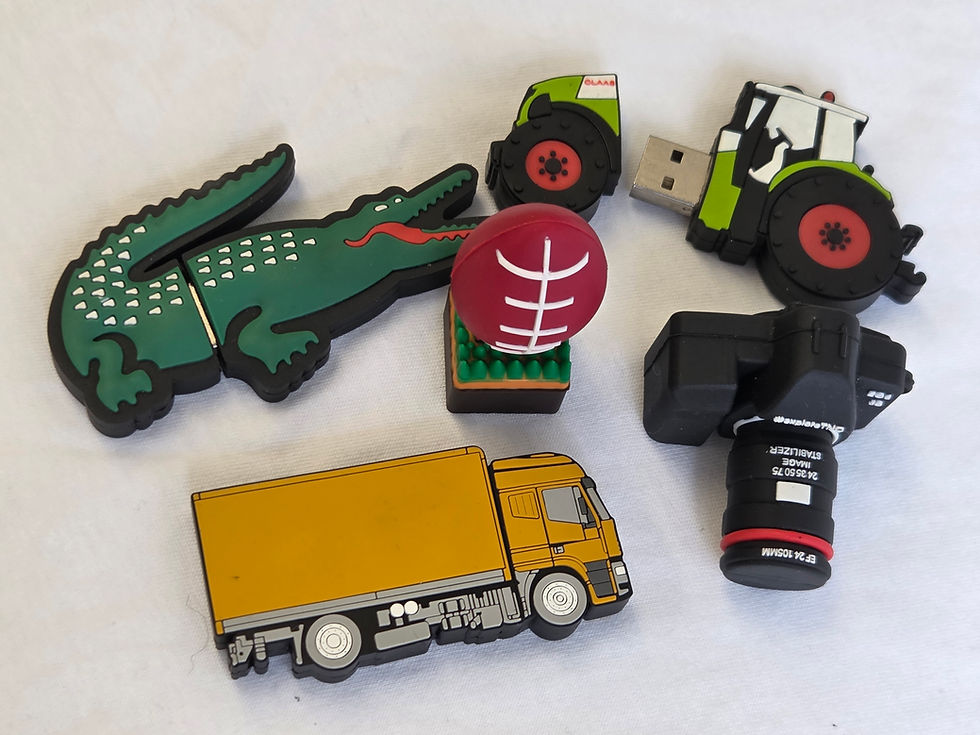
Why USB Capacity Is Often Over-Specified
USB capacity is commonly over-specified because buyers:
It follows that a larger capacity drive is a better-quality drive.
Want the product to appear more valuable.
They do not know exactly how much space their files will actually take up.
Include extra storage as a precaution.
Ignore the impact that capacity may have on the total cost of the wholesale order.
The amount of storage and the quality of the product are two different matters; a drive with a high capacity but using a low-quality memory chip might provide a worse user experience than a smaller drive that is constructed with reliable components. USB Planet employs Grade A memory chips from well-established manufacturers, evaluating the quality of the memory together with its storage capacity.
How To Choose the Right Storage Capacity for Branded USB Drives
The correct decision should start with the real data package; you must first work out the total size of the files, then leave room for possible updates or extra content.
Capacity | Often suitable for | Points to consider |
1GB to 2GB | PDFs, forms, catalogues and basic document packs | Cost-effective for high-volume campaigns |
4GB | Presentations, documents and moderate image collections | A practical middle ground for many organisations |
8GB | Training materials, image libraries and short video files | Useful when recipients may add their own files |
16GB | Larger media packs, onboarding resources and multiple videos | Better for content-heavy projects |
32GB to 64GB | Large video libraries, software packages or premium gifts | Worth considering only when the extra space has a clear purpose |
For example, when the amount of content provided is less than 1GB, switching directly to 16GB may provide only a small practical advantage. USB Planet regards 4GB and 8GB drives as suitable choices for documents, presentations and multimedia, whereas higher capacities are meant for more extensive collections.
6 Prioritises When Ordering Bulk USB
1. Memory-Chip Quality
The memory chip has an impact on reliability and on the user's confidence in the product; for branded USB drives, a failed or unstable device can have a negative effect on the company that has the brand name on the device.
Inquire whether the drives use new and quality-controlled memory rather than memory that has been reclaimed or is unverified; the controller, the NAND flash memory chip, and the connector all have an effect on how reliably a USB drive stores and retrieves data.
2. Transfer Performance
It shows you the amount of space that the drive can hold. The USB standards also depend on the capabilities of the drive, the port, and the device being connected. Buyers should therefore check the actual interface and the expected performance rather than depending entirely on the capacity advertised by the drive.
3. Connector Compatibility
One should think about the kinds of devices the recipients are likely to use, since USB-A remains a useful option for conventional computers whereas USB Type-C is appropriate for many modern laptops, tablets and smartphones that are compatible. Dual-connector drives should be a reasonable choice when the audience uses both older and newer devices. It is important to note that USB Type-C refers to the connector type; the connector by itself does not ensure a specific transfer speed.
4. Preloaded Content
In the case of conferences, education, employee onboarding, and sales presentations, a great deal of the USB drive's value is due to the data that is already on it. This is part of our additional services for brands we've worked with. We can also hardcode them so they're permanently stored on the USB drive.
5. Branding and Physical Design
The casing, print area, and branding method affect how the USB is perceived.
Depending on the model, branding options can include:
Screen printing for simple, bold logos
Full-colour printing for detailed artwork
Laser engraving for a permanent, professional finish
Colour matching for stronger brand consistency
Durable metal flash drives with clear laser engraving may create a stronger corporate impression than a higher-capacity drive selected without considering its appearance or construction.
6. Delivery Requirements
Urgent production can limit the capacities or models available. USB Planet’s three-day service, for example, lists selected 2GB, 4GB, and 8GB options.
When an event date is fixed, confirmed stock availability, branding time, and delivery can be more important than ordering unnecessary storage.
What To Identify Before Buying USB In Bulk
Before approving a bulk order, confirm:
How big are the files being provided?
Shall the people receiving it need to have space in which to add their own files?
What connectors will be suitable for their devices?
Should USB 2.0 be used, or is it important to have faster transfer speeds?
Which grade of memory chip is it?
Shall the data provided be loaded and tested?
What branding method is most appropriate for the artwork?
Is the capacity that has been selected able to meet the required delivery date?
Our Advice on How To Choose USB Capacity
The best promotional USB drive is not automatically the one with the largest capacity. It is the one that stores the required content, works with the recipient’s device, performs reliably and presents the organisation professionally.
For most wholesale orders, defining the use case first makes it easier to control costs without reducing usefulness. Select enough storage for the files and realistic future use, then prioritise chip quality, transfer performance, compatibility, branding and dependable delivery.


Comments